Sell
Personalize on the product page
Turn on the app embed and the personalizer appears above Add to cart. Choose how it opens on desktop and on phones, and style it to match your theme.
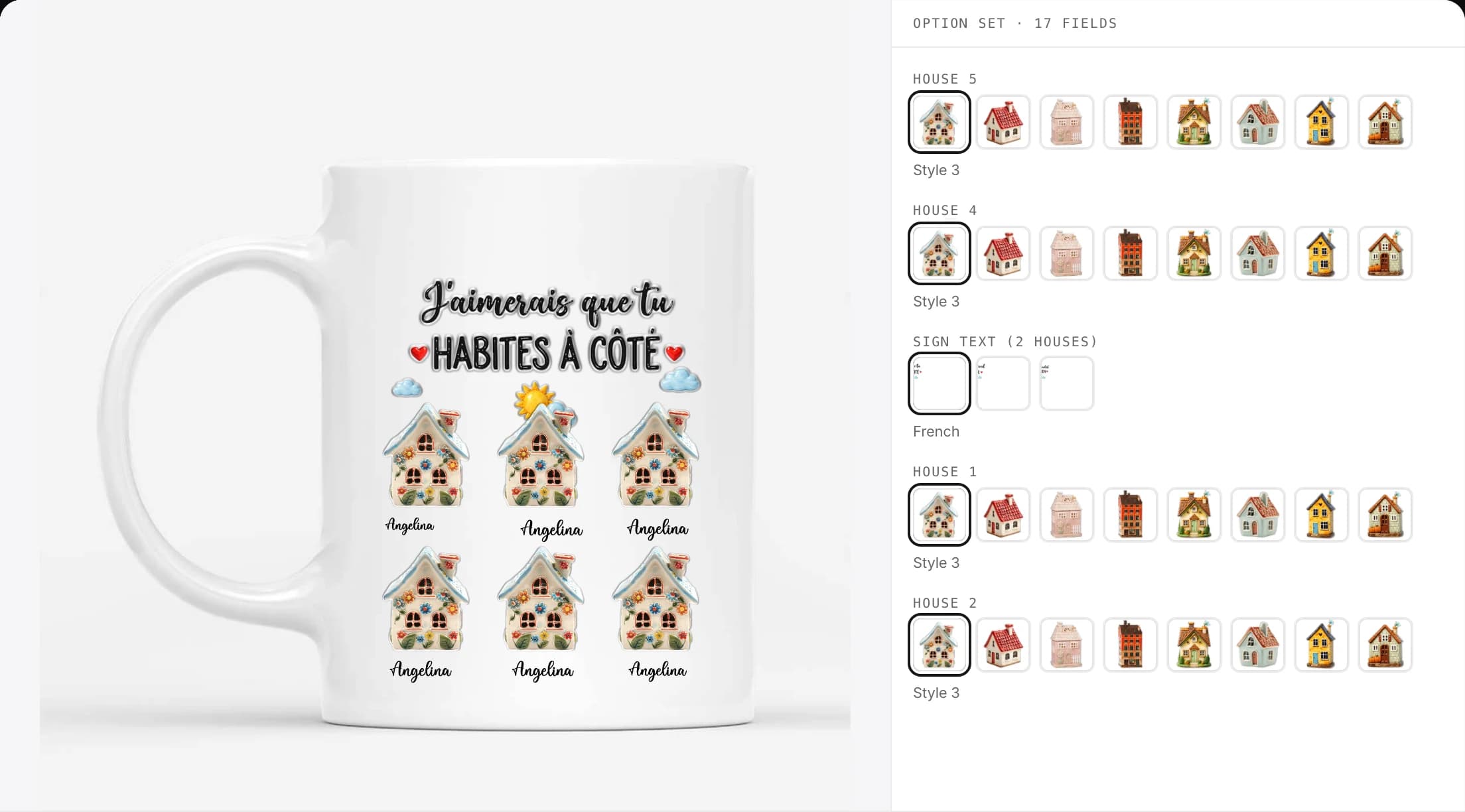
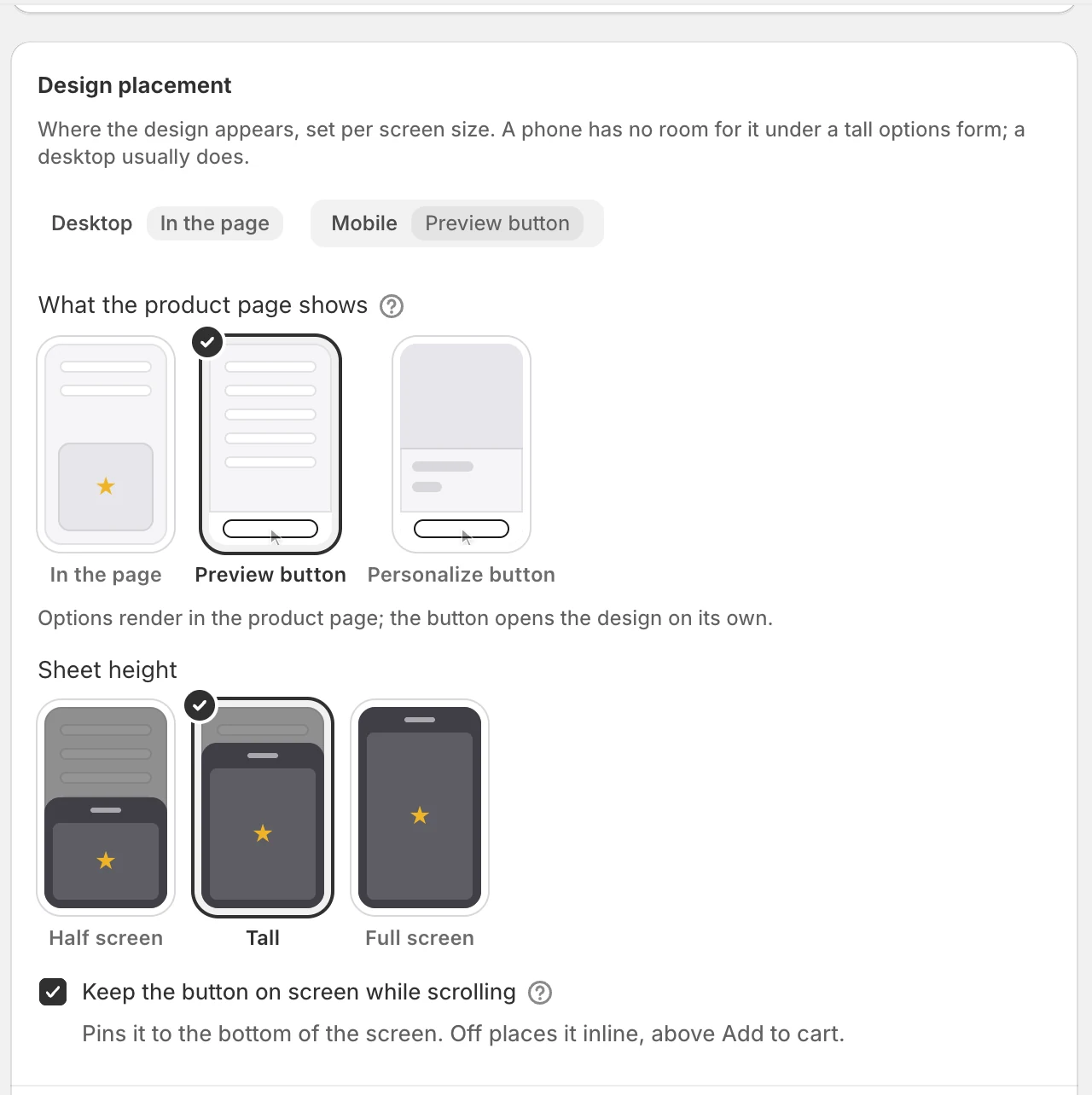
In the page, or behind a button
Set desktop and phone separately. Show the options and design in the page, or open them from a Preview or Personalize button as a sheet or a modal.
- In the page, Preview button, Personalize button
- Half-screen, tall or full-screen sheet
- Keep the button on screen while scrolling
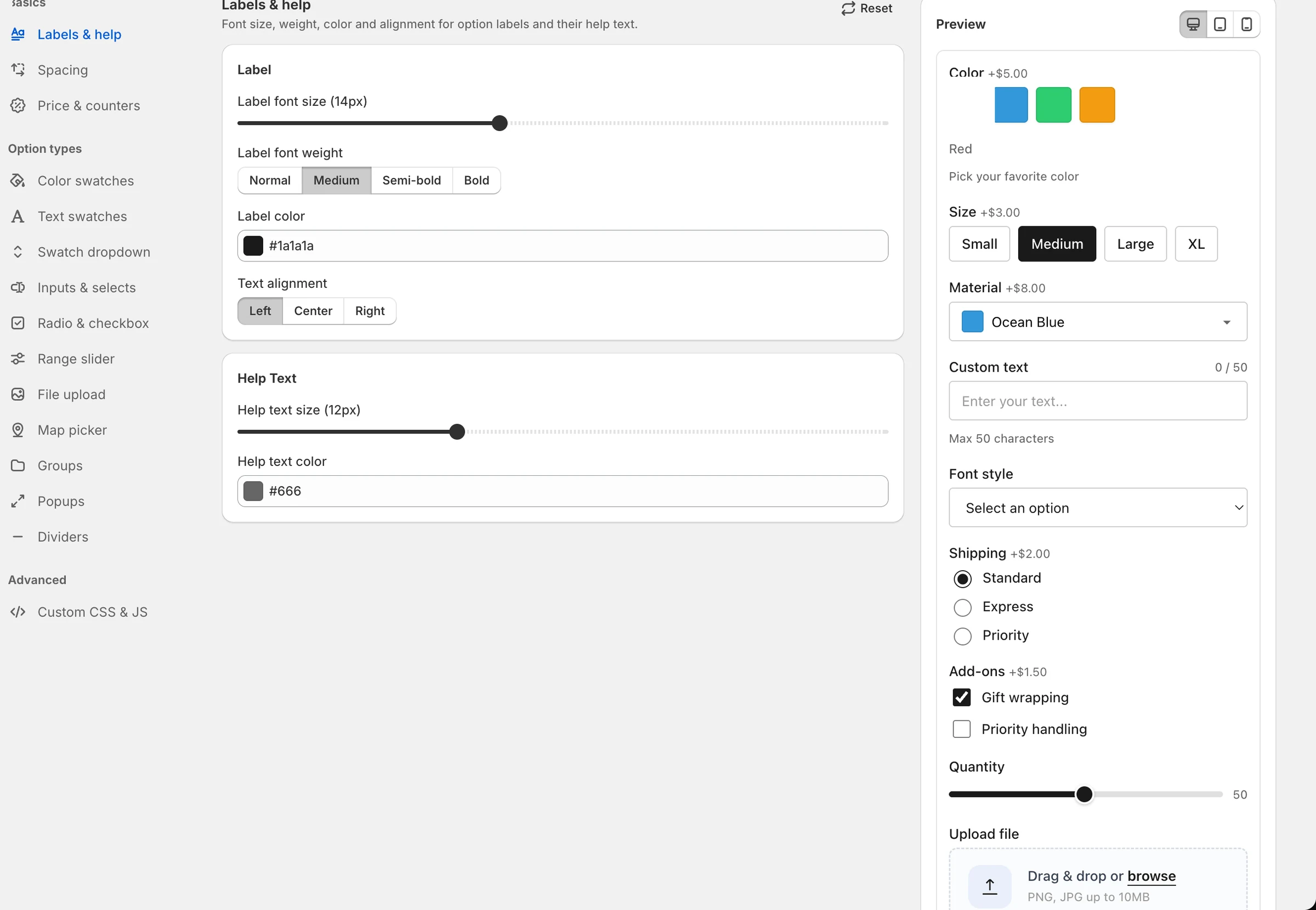
Styled to your theme
Global styles set the type, colour and spacing of every field, with a live preview. Save profiles, and add your own CSS when you need to.
- Styles per option type
- Style profiles
- Custom CSS
Fees the way Shopify allows
On Shopify Plus the line is simply repriced. Elsewhere the personalization fee rides on the order as its own line, and checkout keeps it paired with the product.
- Cart Transform on Shopify Plus
- A fee line on other plans
- Checkout validation keeps the pair together
At a glance
- Themes
- Online Store 2.0
- Install
- One app embed, optional block
- Placement
- In page, or behind a button
- Delivery
- Content-hashed bundles on a CDN
Questions
Does it work with vintage themes?
No. The personalizer is a theme app extension, which needs an Online Store 2.0 theme.
When do my changes reach the storefront?
When you publish. Save & publish builds a new bundle and puts it on the CDN; until then shoppers see the previous version.
Ready to add customization to your Shopify store?
Made for one, treasured for life. Every order ships with something nobody else can buy.